
Tesla introduces Parental Controls - More safety for young drivers
With the software update 2024.26 has Tesla a introduced a long awaited function: Parental Controls. This finally gives parents the ability to customize the vehicle settings for their children and ensure a safer driving experience.
Tesla remains true to its safety strategy and extends the monitoring and protection measures for young or inexperienced drivers. But what exactly do the new Parental Controlsand how can they be activated?
What can the Tesla Parental Controls do?
The new parental control functions from Tesla make it possible, restrict certain vehicle functions and use in monitor usage in real time. This allows parents or vehicle owners to keep control over driving behavior at all times.
🛑 The four main functions of the Tesla Parental Controls:
✔ Reduced speed & power
✔ Enforced security functions
✔ Notifications for night driving
✔ Mobile monitoring and control
Each of these functions can activated or deactivated individually be activated or deactivated.
1. reduced speed & performance
⚡ Limit maximum speed
- The maximum speed can be limited to at least 80 km/h (50 mph) can be limited.
- Helps, risky driving prevent risky driving.
🏁 Limit acceleration to "chill mode"
- Reduces the power deliveryto ensure smoother acceleration.
- Reduces the risk of Careless driving maneuvers.
🚫 Deactivate performance modes
- Track Mode (for performance models) is disabled - no more parking lot drifts.
- Launch Mode (for Plaid models) is deactivated - no more extreme acceleration.
2. enforced safety functions
The Tesla Parental Controls ensure that vital safety functions remain activated and not inadvertently switched off be switched off.
📢 Always activated security features:
✅ Speed warning (at 8 km/h over the limit)
✅ Automatic emergency braking (AEB)
✅ Collision warning (FCW)
✅ Obstacle-Aware Acceleration
✅ Automatic camera display for the blind spot
✅ Blind Spot Collision Warning Chime
✅ Automatic emergency call (911 Call)
✅ Lane departure warning & emergency lane departure avoidance
✅ Park Assist Chimes
🔒 These functions CANNOT be deactivated as long as the Parental Controls are active.
3. monitor night driving
🌙 Automatic notification for journeys between 23:00 and 04:00
- Parents receive a immediate notification of the Tesla appwhen the vehicle is used at night.
- The curfews cannot currently be adjusted individuallybut could be changed in future updates.
4. Tesla How to activate parental controls
📲 Directly via the Tesla app or the vehicle menu
🔹 Activate in the vehicle:
- Settings > Safety > Parental Controls
- Tap on "Activate
- Set four-digit PIN
🔹 In the Tesla Activate app:
- Open app > Security & privacy settings
- Activate parental controls & enter PIN
⏹ Deactivate is just as easy: enter your PIN and deactivate the function.
📌 Important: Parental controls apply for the entire vehicle and cannot be adjusted for individual profiles. If the car is used by different drivers, the settings must be switched on or off manually be switched on or off manually.
Which Tesla-models support parental controls?
🚗 Supported vehicles:
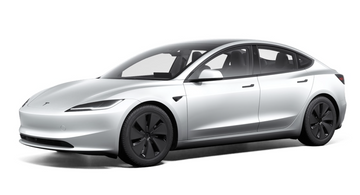
✅ Tesla Model 3 (all model years)
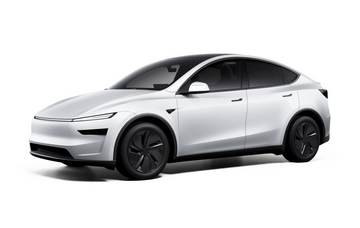
✅ Tesla Model Y (all years of construction)
✅ Tesla Cybertruck
✅ Tesla Model S & X (from 2021)
Older Model S & Model X before 2021 will not receive this function.
Future updates - What else is coming?
🚀 Since its introduction in 2024 Tesla the Parental Controls have already expanded. In the future, further features may follow:
🔜 Possible improvements:
- Individually customizable curfews (currently fixed between 23:00-04:00).
- Parental controls for specific driver profiles instead of for the entire vehicle.
- Notifications for abrupt braking or dangerous driving behavior.
💡 Tesla continuously develops new functionsand it is likely that parental controls will be expanded in the coming years.
Conclusion: Important innovation for greater vehicle safety
The Tesla Parental Controls offer a valuable addition for parents who want to ensure the safety of young drivers.
✅ Limit top speed & power
✅ Safety functions cannot be deactivated
✅ Notifications for night driving
✅ Simple control via the app
This function is particularly useful for Families with novice drivers useful - and brings Tesla a further step in the direction of intelligent, safe mobility.
Keywords
Tesla, Tesla Model Y, Tesla Model 3, Tesla Accessories, Tesla Store, Shop4Tesla, Tesla News, Tesla Parental Controls, Tesla Parental Controls, Tesla security, Tesla Protection of minors, Tesla Limit speed, Tesla Autopilot safety, Tesla vehicle safety, Tesla App, Tesla Software update 2024.26

Hat dir unser Beitrag gefallen?
Wenn du bereits stolzer Tesla-Fahrer bist oder es zeitnah werden solltest, besuche unseren Onlineshop Shop4Tesla und sichere dir 10% Rabatt auf alle Produkte mit dem Rabattcode: NEWS4TESLA. In unserem umfangreichen Sortiment findest du eine Vielzahl an hochwertigen Tesla-Zubehörteilen für jedes Modell. Entdecke spannende Innovationen und Zubehör, die dein Tesla-Erlebnis noch besser machen - www.shop4tesla.com.